
Creating New Documents
Documents can be created via JoinXR Desktop, via the web portal, or directly on a headset.
Create a document via JoinXR Desktop
Section titled “Create a document via JoinXR Desktop”- JoinXR Desktop Editing Overview in JoinXR Desktop
- Go to Document > New
- Enter a name for your document
- The new document will open in the editor
You can then go to Document > Properties to rename and manage sharing and other properties
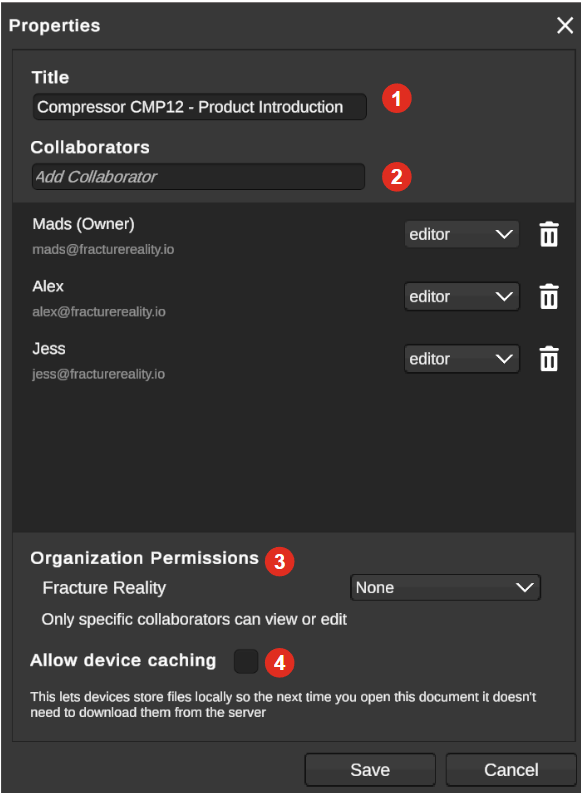
- Title - Name of the document
- Collaborators - Add/Modify/Remove individual document permissions
- Organization Permissions - Modify organization-wide permissions
- Allow device caching - Improve load time by storing the document content on the device
Create a document via the web interface
Section titled “Create a document via the web interface”1. Go to https://join.fracturereality.io/Document.
2. Select Create New Document
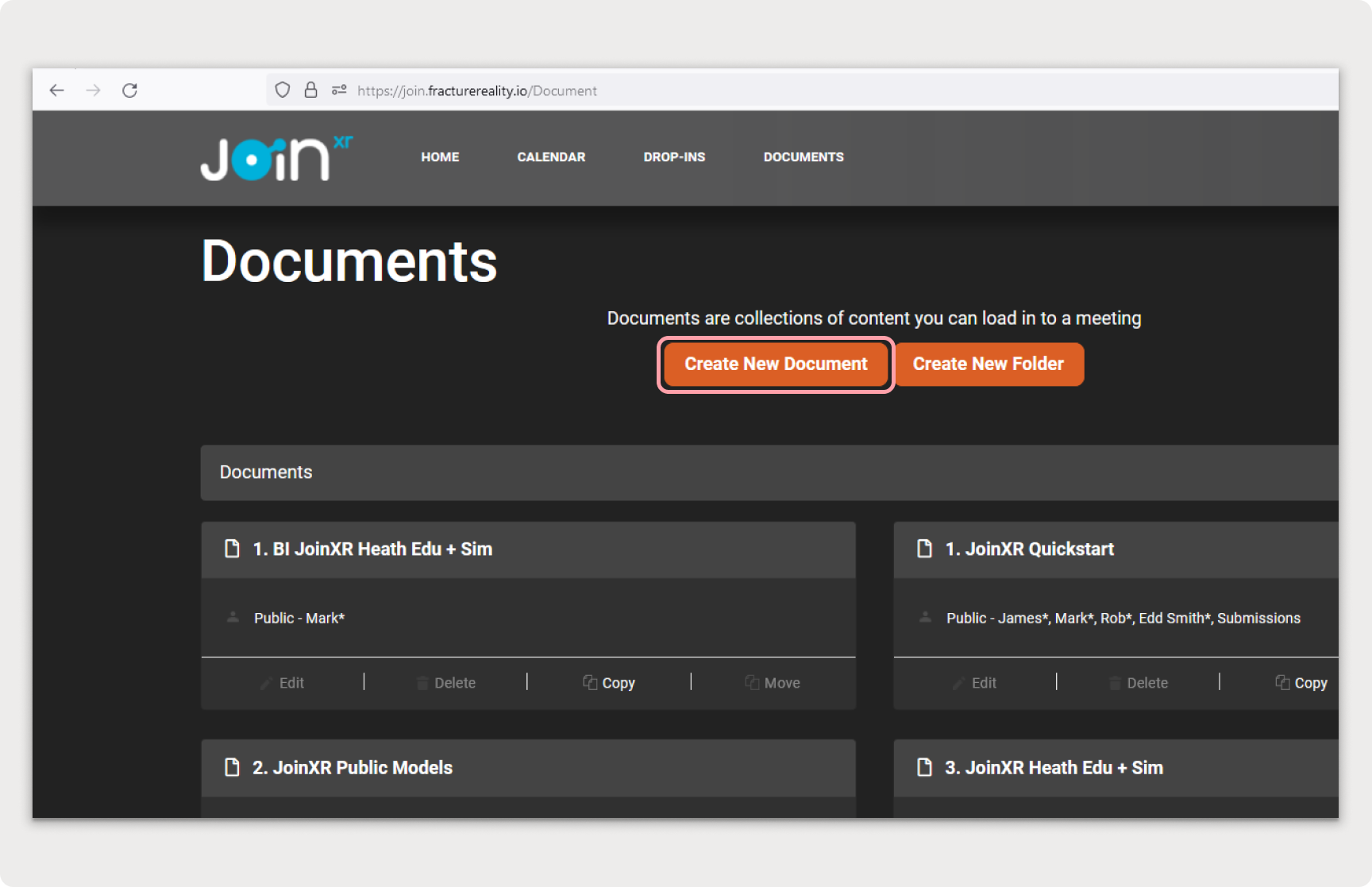
3. In the pop-up you can add collaborators and set sharing permissions
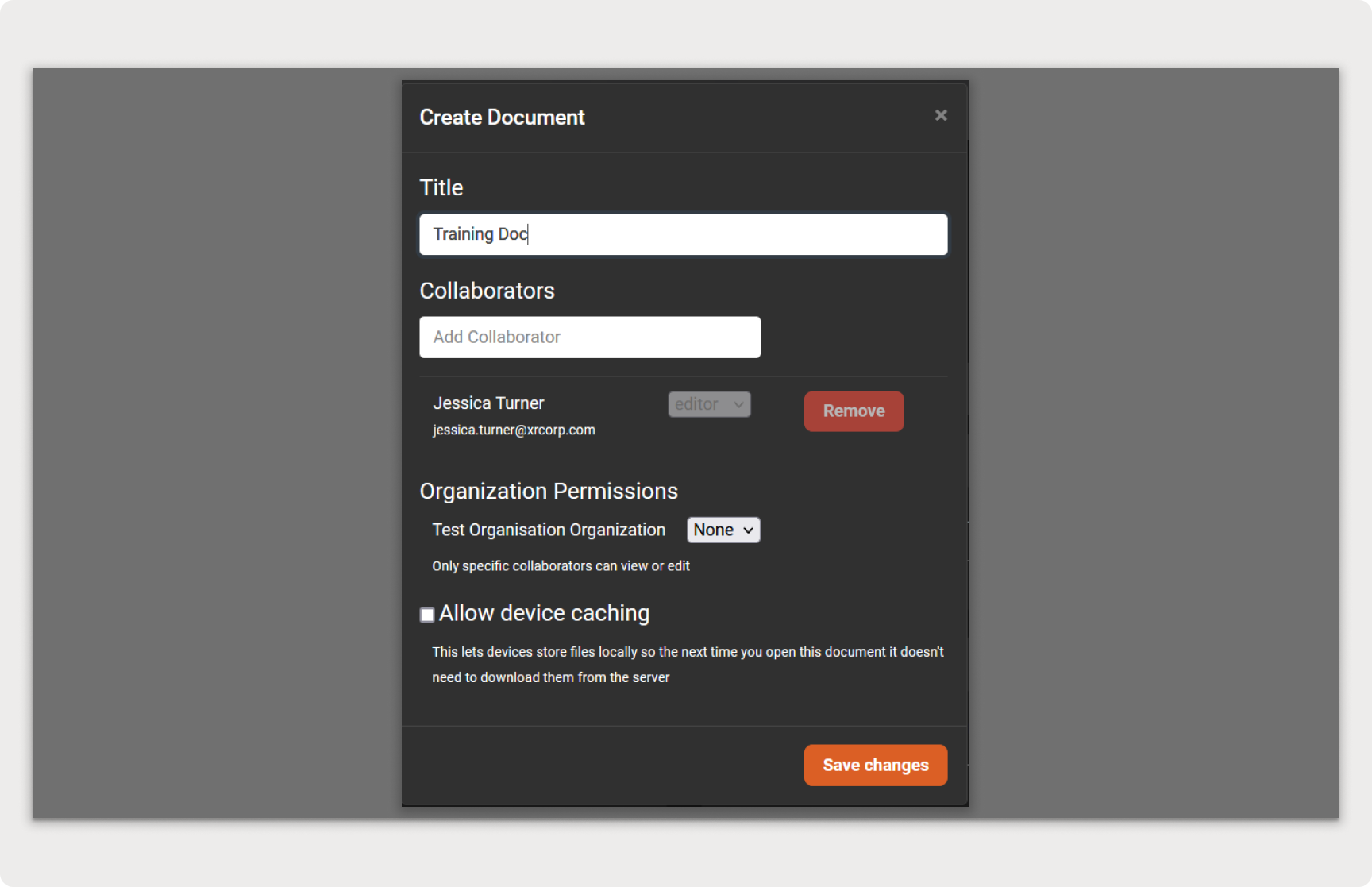
Create a document in Headset
Section titled “Create a document in Headset”1. When wearing your headset, go to Document > New
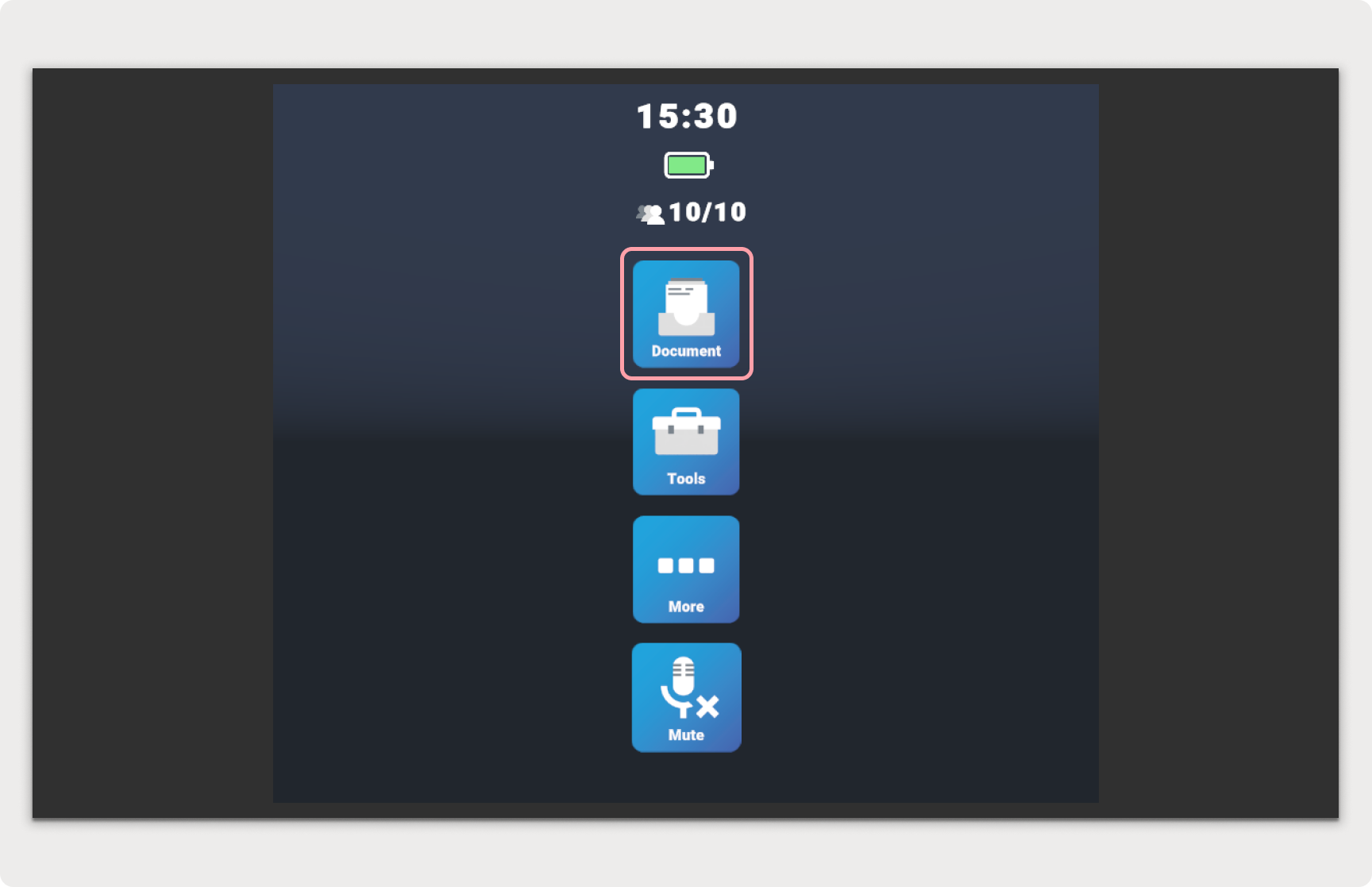
This is a quick way to create a new document for editing. You will still need to use the web interface to rename the document or add collaborators.