
Creating Meetings
Learn how to schedule a meeting in JoinXR, and invite people to it.
JoinXR enables you to create two types of meetings:
- Calendar meetings (which have a start and end time, like video calls)
- Drop-in meetings (which last forever, more like rooms in an office).
Create a Calendar Meeting
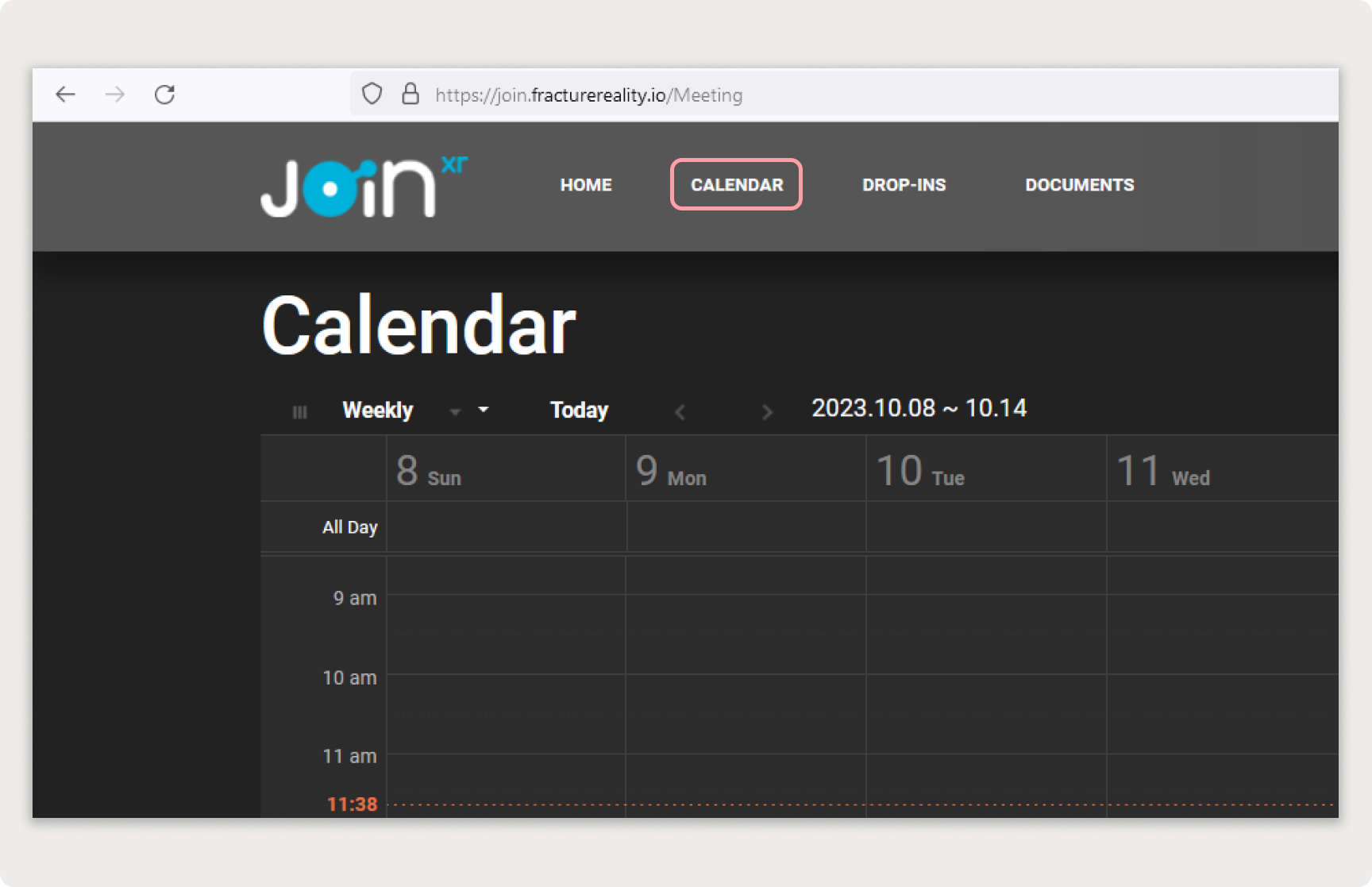
Section titled “Create a Calendar Meeting”1. Go to join.fracturereality.io and open the Calendar tab
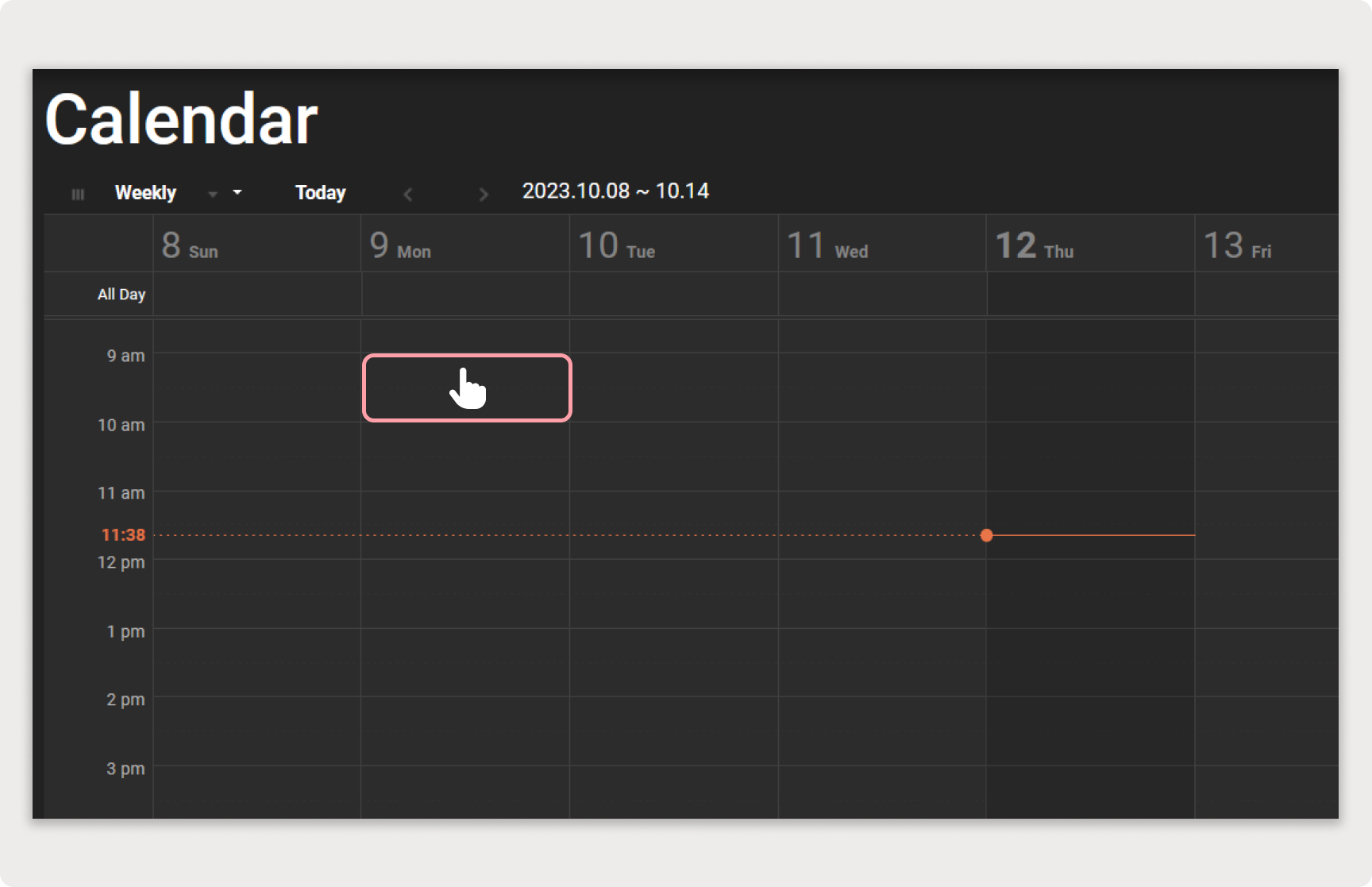
2. Select the date and time for your meeting on the calendar
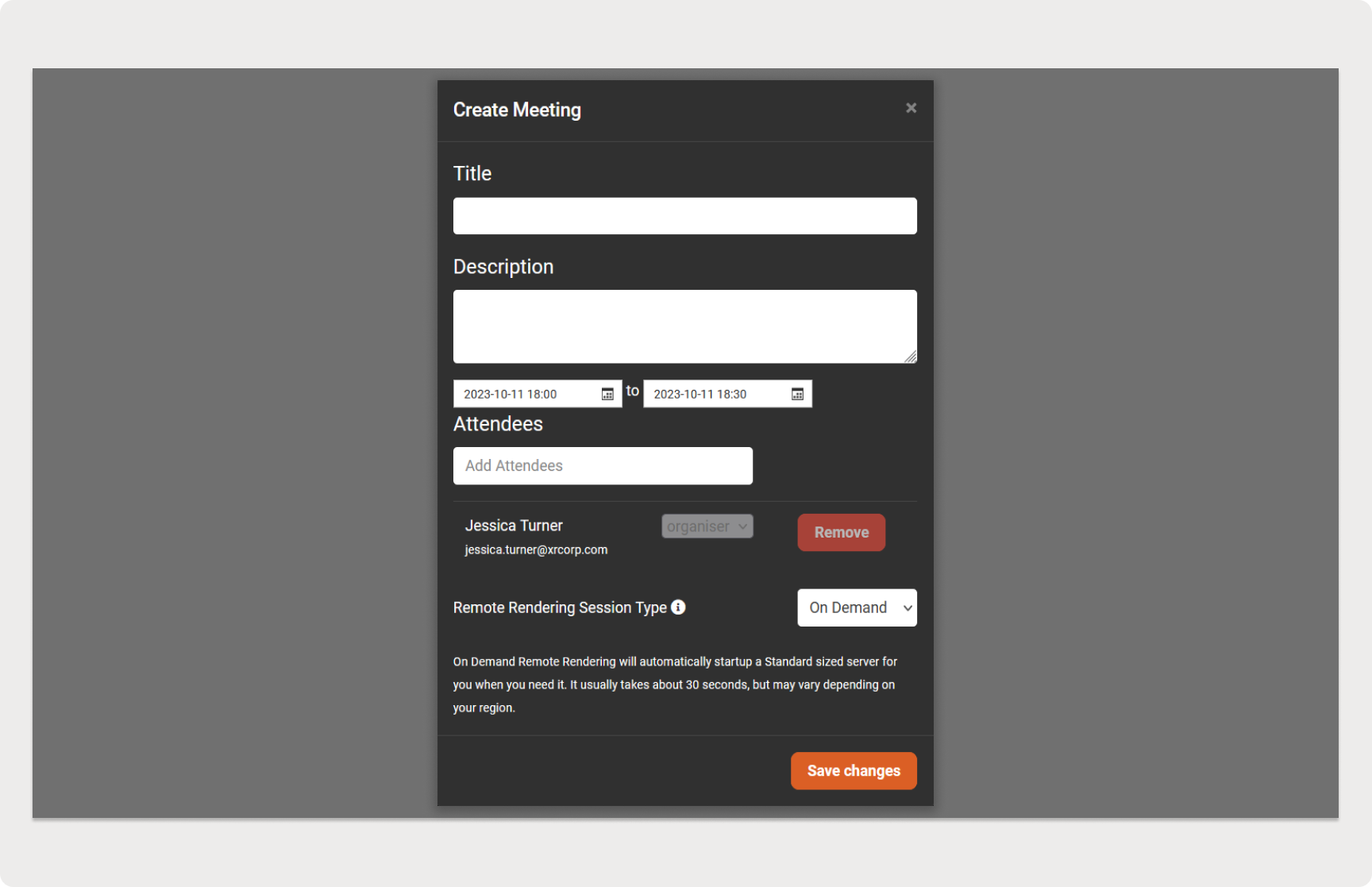
3. In the pop-up window, you can set the meeting’s title, description, start and end time, and attendees
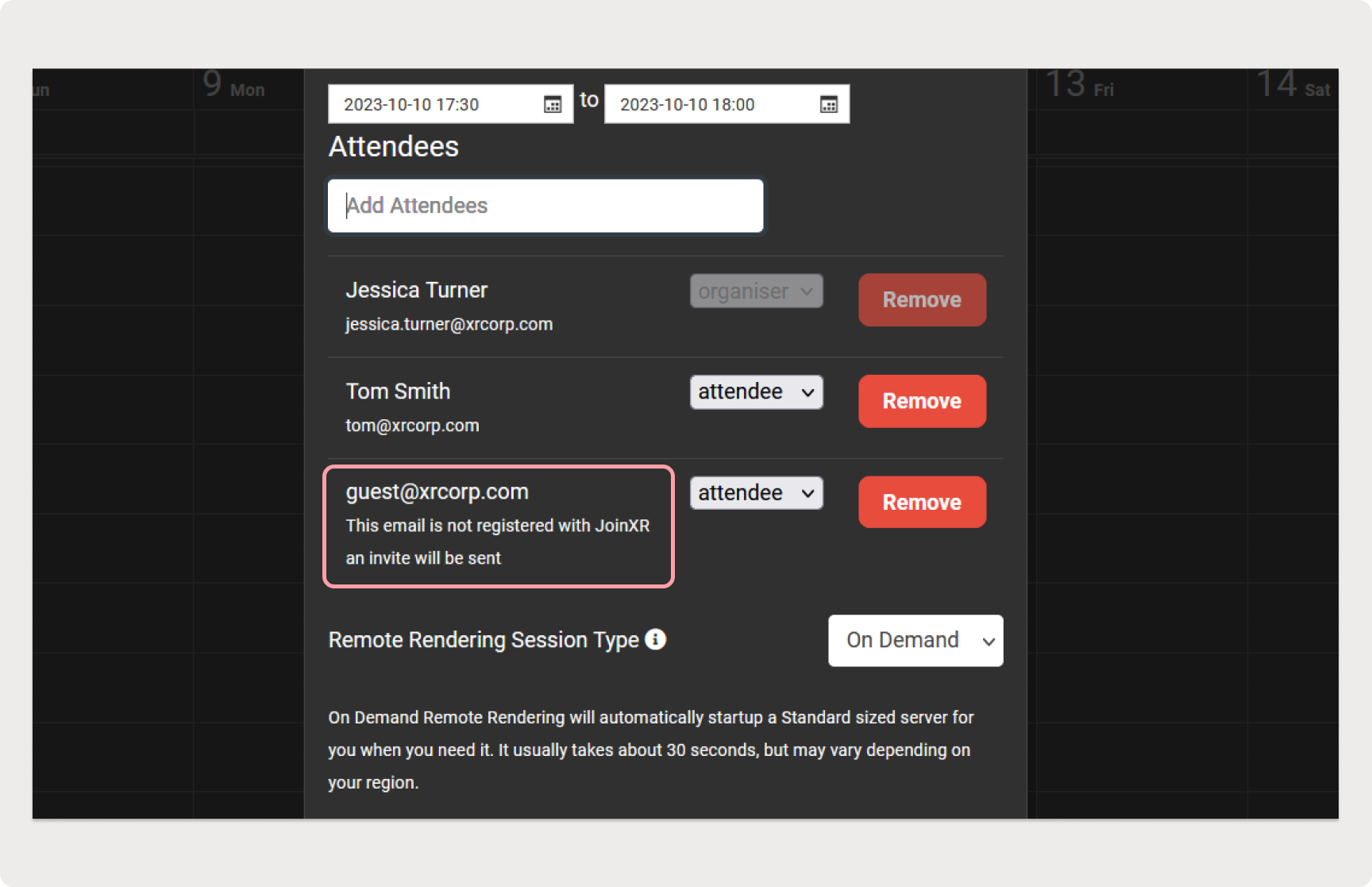
4. When adding people to your meeting, JoinXR will suggest users who already have accounts. If you want to invite someone who hasn’t registered with JoinXR yet, simply type their email, and we’ll send an invitation to register
5. Click Save Changes to schedule your Calendar Meeting and send your invite(s)
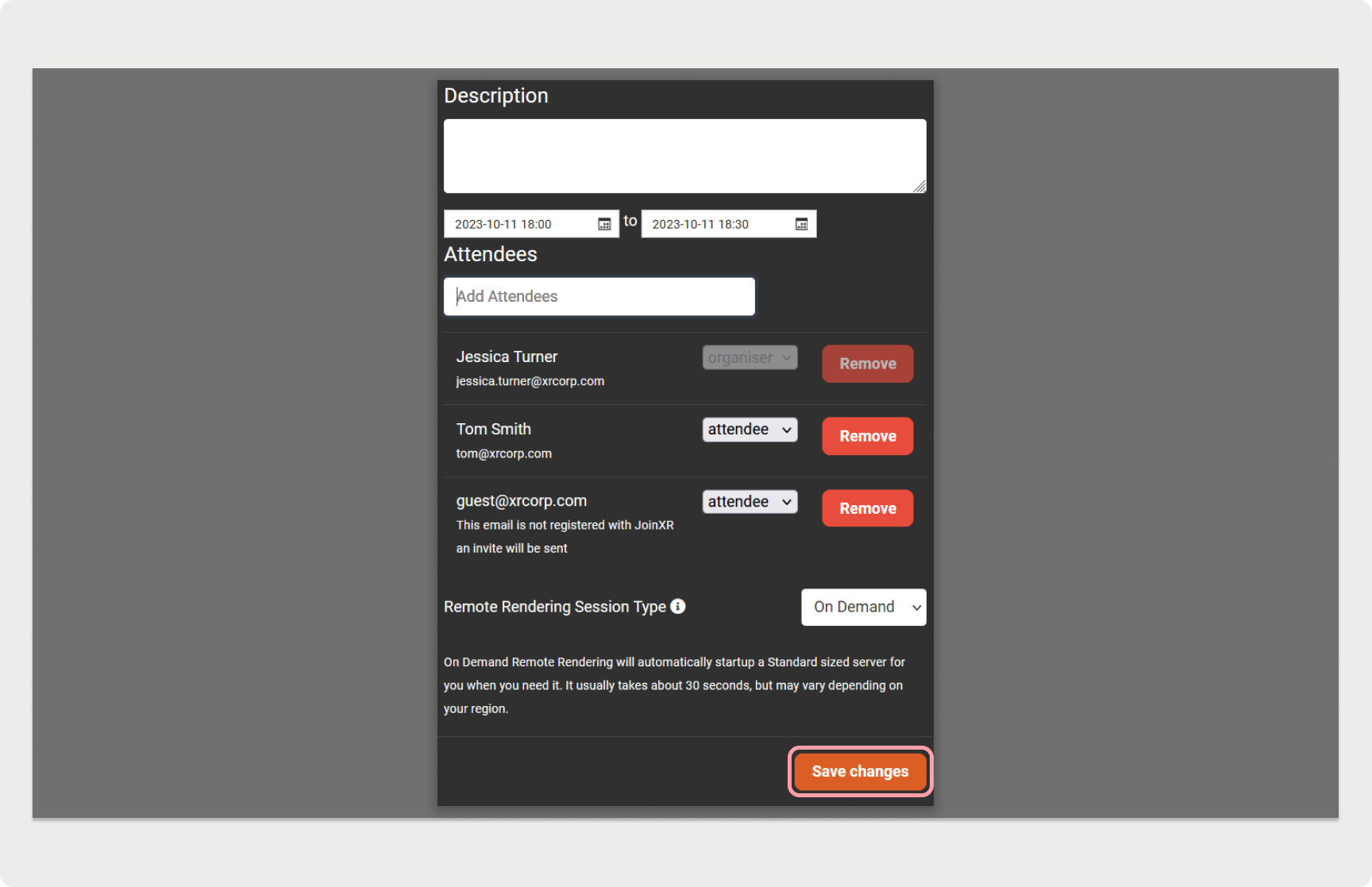
You’ve now scheduled a Calendar Meeting and sent invites to your attendees
Creating a Drop-in Meeting
Section titled “Creating a Drop-in Meeting”1. Go to join.fracturereality.io and open the Drop-in tab
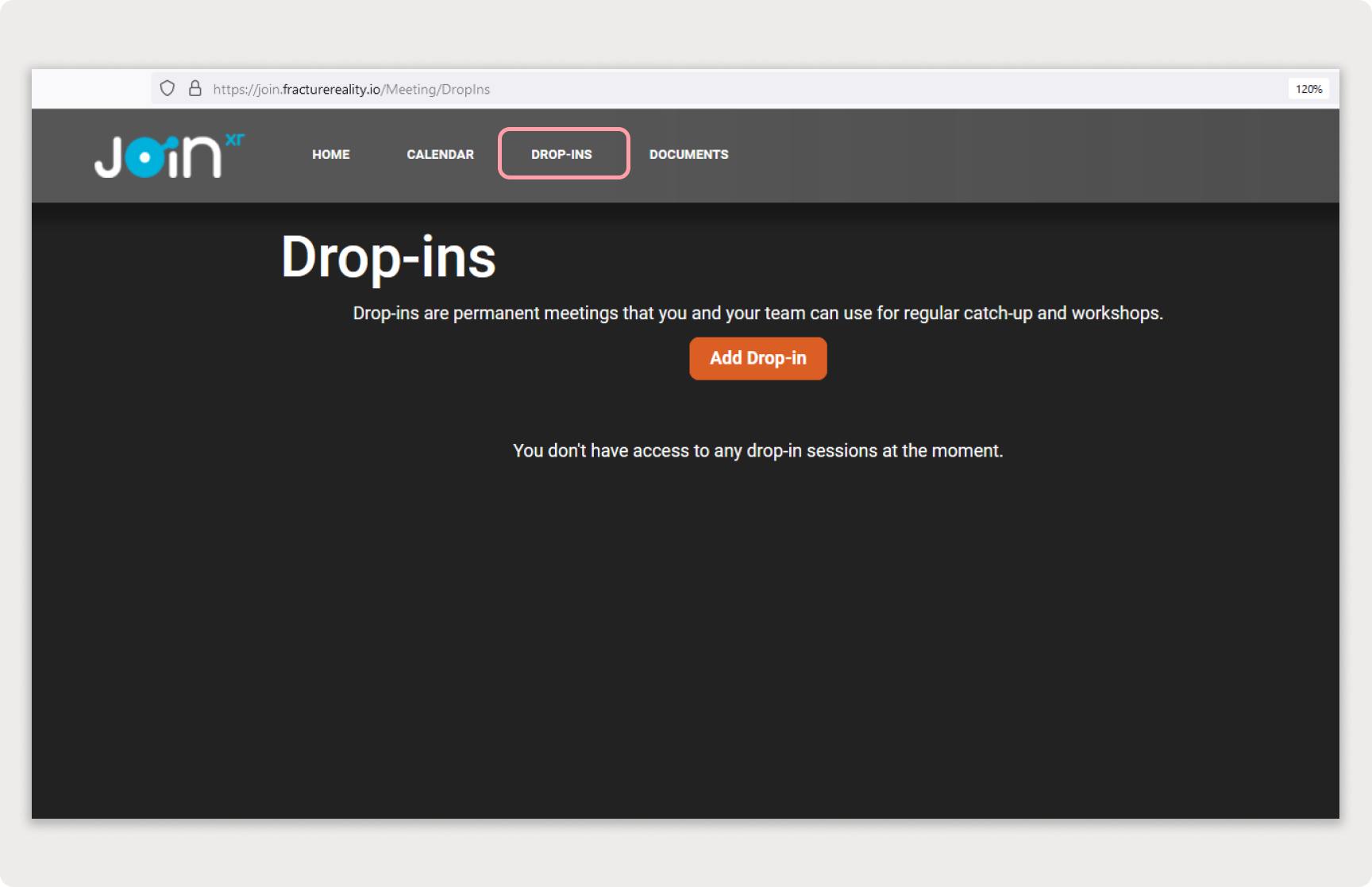
2. Click Add Drop-in
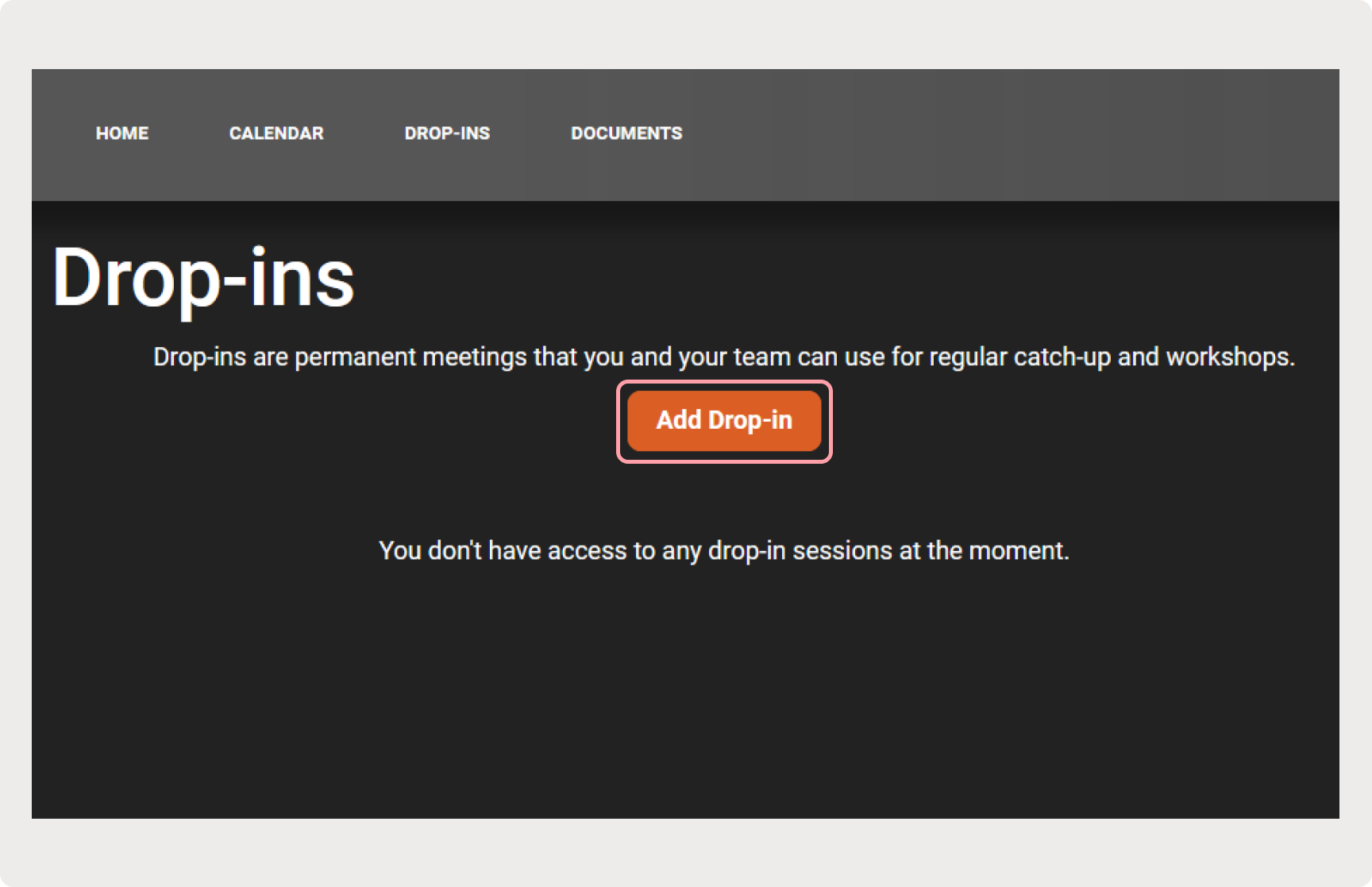
3. As with creating a Calendar Meeting, in the pop-up window, you can set the meeting’s title, description, start and end time, and attendees. If you want to invite someone who hasn’t registered with JoinXR yet, simply type their email, and we’ll send an invitation to register
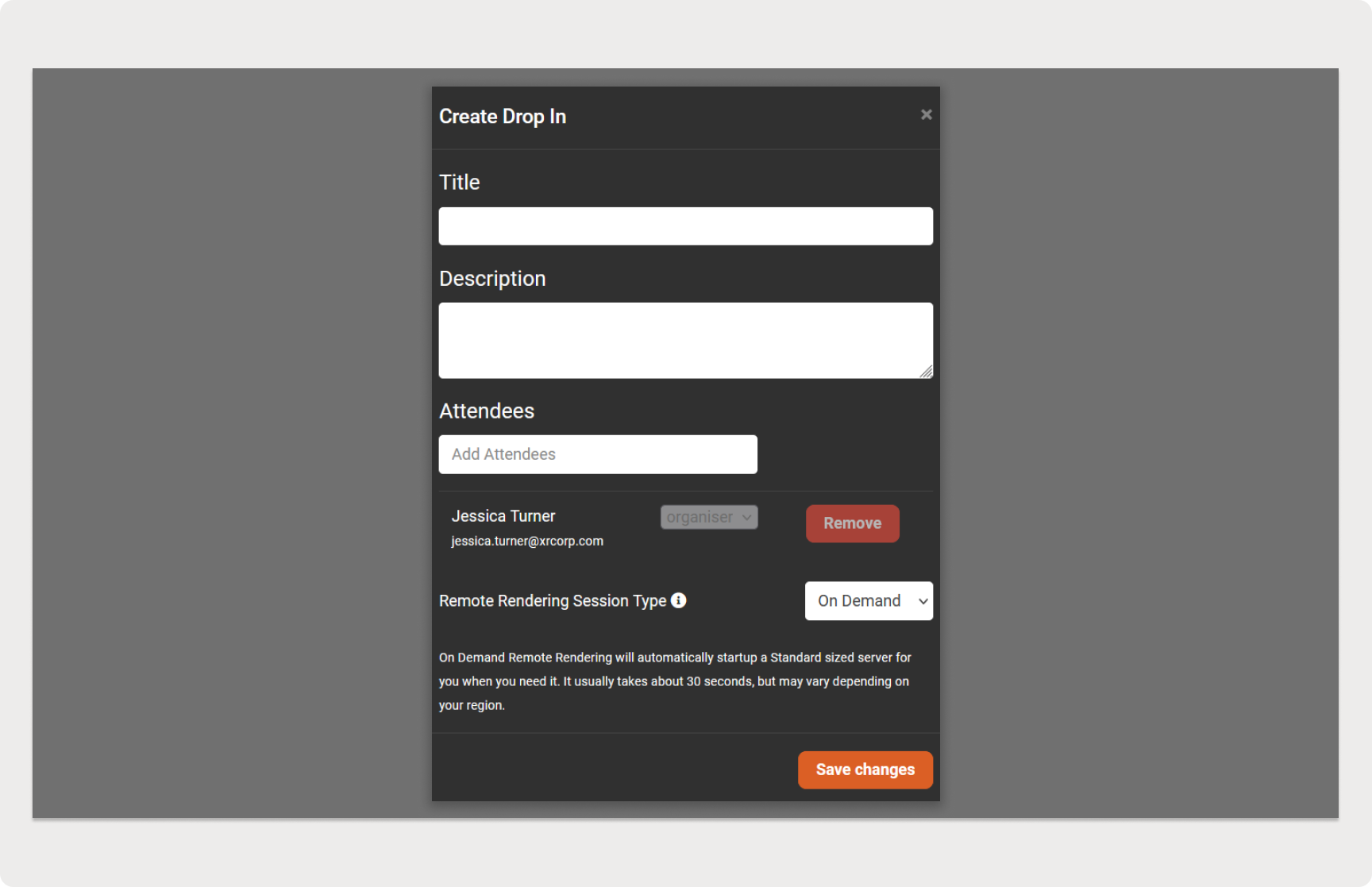
4. Click Save Changes to schedule your Drop-in meeting and send your invite(s)
You’ve now scheduled a Drop-in Meeting and sent invites to your attendees