
Organizations
Learn how to use JoinXR organizations to manage your licenses and remote rendering allowance.
When you create a JoinXR account, you have the option to register for a free 30-day trial for an organization at join.fracturereality.io. To find out more about creating an organization, please Contact Us.
The Organization Interface
Section titled “The Organization Interface”1. To find the organizations interface, go to join.fracturereality.io
2. Click the  button and choose My Organization. This is only visible once an organization has been created.
The organization interface contains the following information:
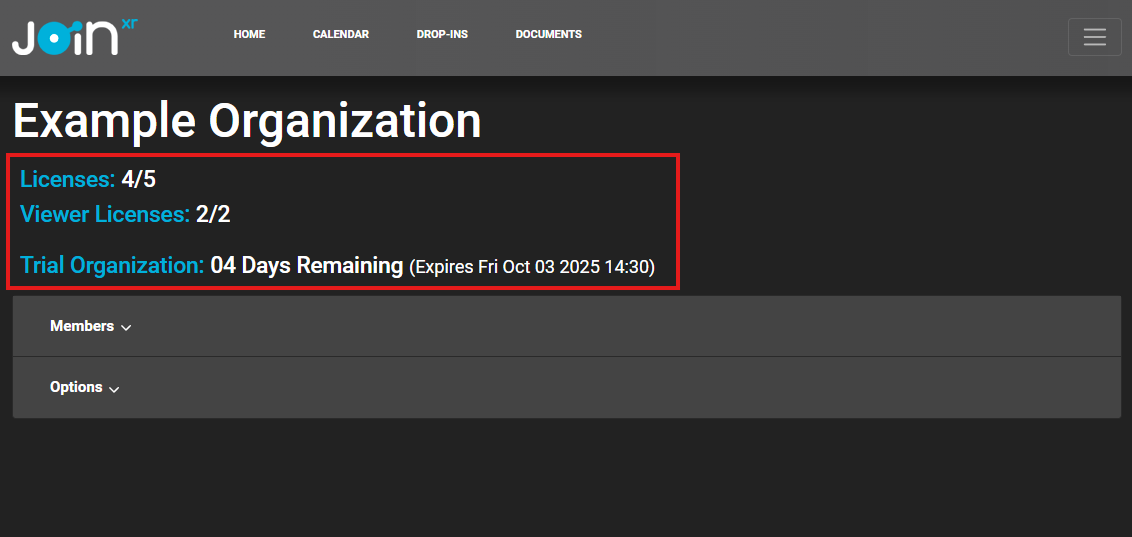
- Licenses - Number and type of licenses used and the total number of licenses.
- Trial Organization - If applicable, how much time remains on your free trial.
Member Management
Section titled “Member Management”Selecting the ‘Members’ dropdown reveals the following information:
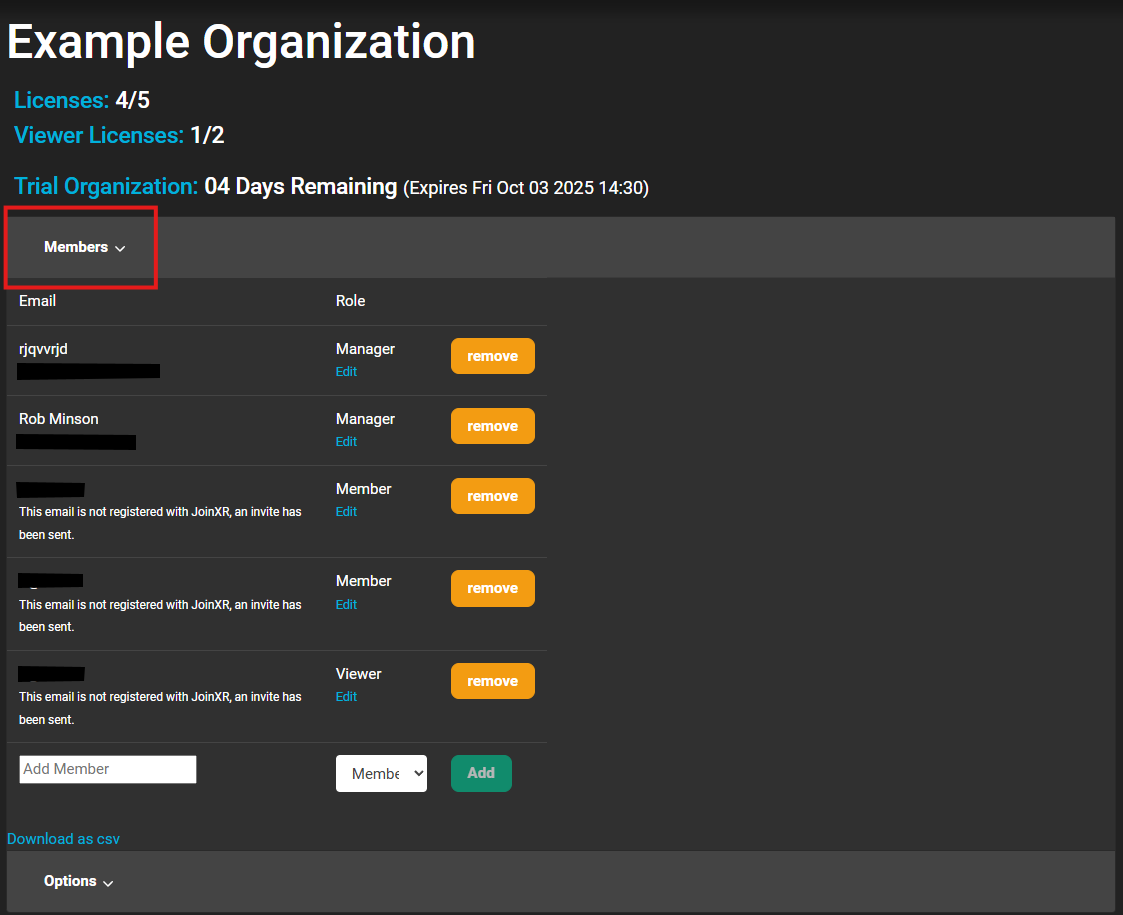
When a JoinXR organization is created, it is assigned an owner. The owner can add and remove members from the organization, up to their license limit.
To add a new member, enter the user’s email address, choose the role and click Add
Users can be added as members or managers:
- Member - When a user becomes a member they can create, edit and delete meetings and create, edit, copy and delete documents.
- Manager - Managers can do everything a Member can, but can also add and remove other members.
If the email address can’t be found in the JoinXR user database, an invite will be sent to that email address with a link to register the account.