
Meeting Management and Roles
Learn about the different roles attendees can have in a meeting.
When you add someone to a meeting, they can be added as an Attendee or an Organiser.
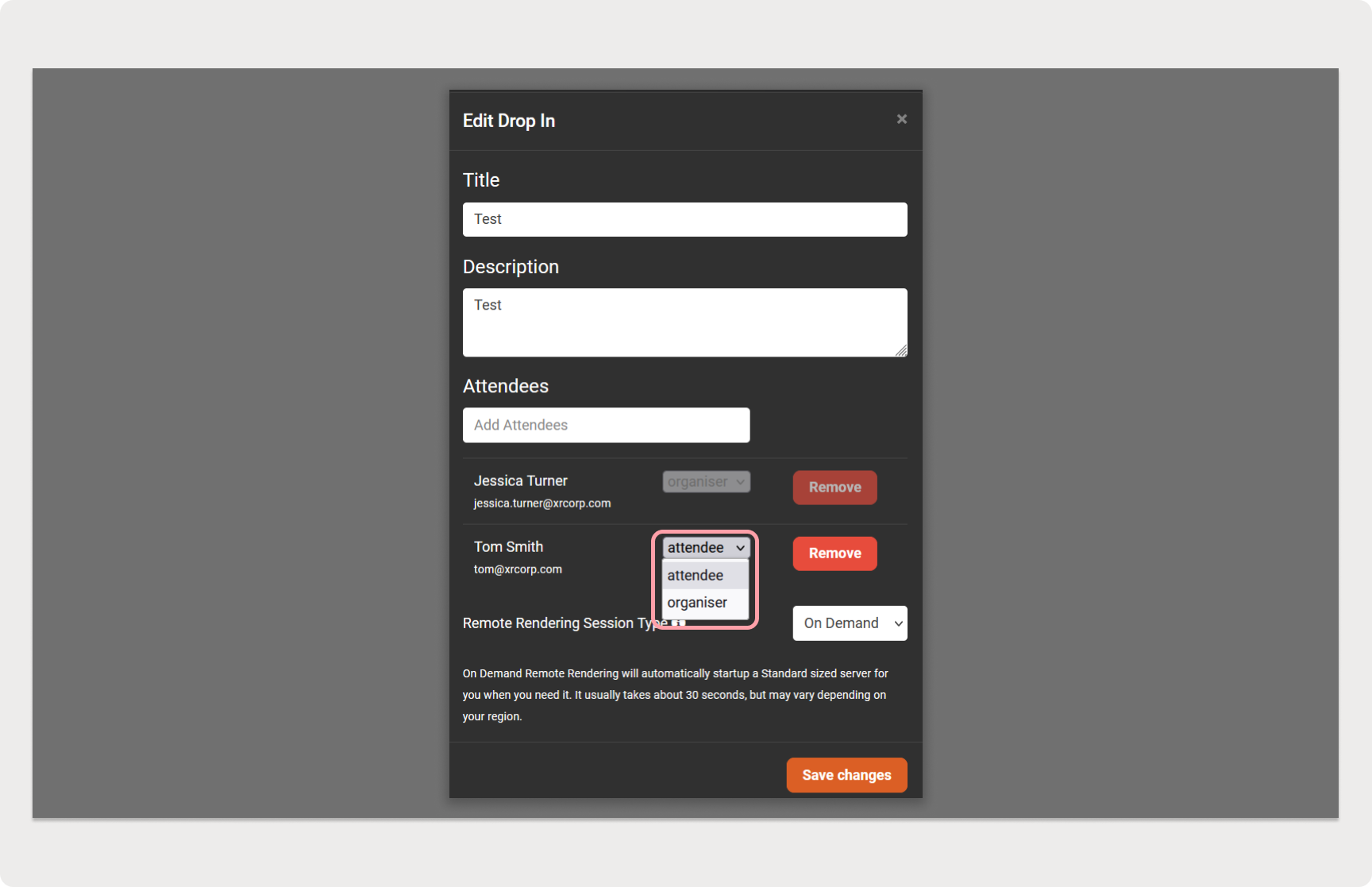
This table shows what abilities those two roles allow or prevent:
| Attendee | Organiser | |
| See the meeting in the list when they launch the app | 🗸 | 🗸 |
| Enter the meeting | 🗸 | 🗸 |
| Speak to other people in the meeting | 🗸 | 🗸 |
| Move/rotate/scale and edit objects during the meeting | 🗸 | 🗸 |
| Record a meeting | 🗸 | 🗸 |
| Open/close a document during the meeting | 🗸 | |
| Invite others to the meeting | 🗸 | |
Edit the title, description or start/end times of the meeting | 🗸 |
In addition, Organisers can access the Advanced Meeting Controls in the Meeting menu:
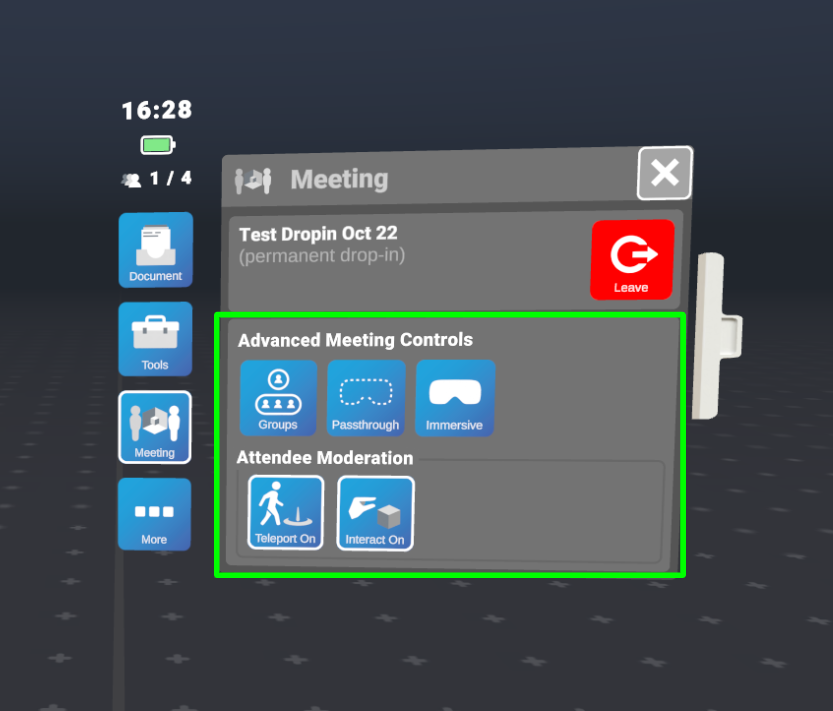
These controls allow the following functions:
- Groups: set the attendees in to different groups for managing Same Space Meetings
- Passthrough/Immersive: switch all users in the meeting to either use Passthrough or Immersive mode (for devices which support them)
- Teleport On/Off: allow or prevent attendees from teleporting when in Immersive mode
- Interact On/Off: allow or prevent attendees from selecting or moving objects, and from adding content like notes, labels and drawings