
Caching and Reloading
By default every time that you open a new JoinXR document (i.e. your product presentation) the content gets downloaded again to each headset.
When you are using a presentation over and over again you can save bandwidth (and also precious time with each customer) by these two measures
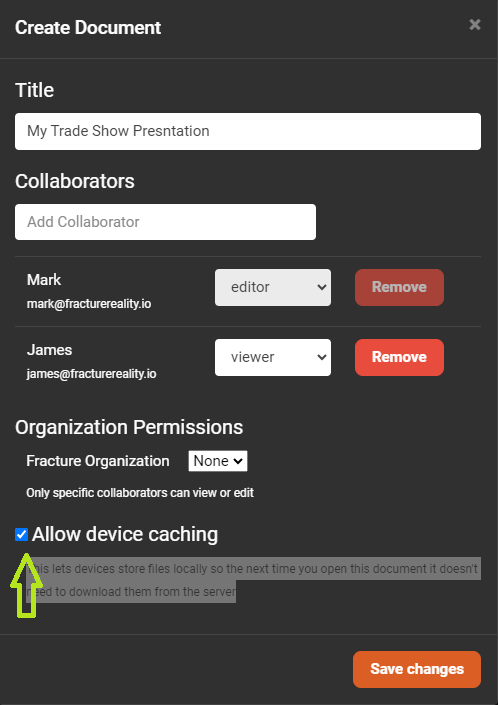
Allow Device Caching
Section titled “Allow Device Caching”This setting is a checkbox in each document you will use (i.e. it isn’t a per-headset setting).
When this option is enabled, the content only downloads once and is subsequently loaded from the on-device cache.
If someone else has made the JoinXR document for you be sure to check that they have enabled this setting on your presentation.
Reload documents instead of re-opening them
Section titled “Reload documents instead of re-opening them”When you have finished a presentation always remember to ‘Reload’ via Document > File > Reload, rather than ‘Open’ the document again each time.
This resets your presentation instantly, it’s the fastest method and uses almost no bandwidth.